
Image sizes for team graphics
Four image sizes cover every place an esports team posts: square (1080 x 1080), portrait (1080 x 1350), story (1080 x 1920) and landscape (1920 x 1080). Make each graphic in all four, and you never have to resize a result at 23:00 because Instagram cropped the score off. I have had graphics cut off on both TikTok and Instagram because the size did not fit, which is why this page exists.
Below: which size goes where, what each platform's own help pages say, and what to do about the edges of a story. Every number on this page was checked against the platforms' help pages on 15 October 2026. Platforms change these, so the date matters.
The four sizes at a glance
| Size | Pixels | Ratio | Use it for |
|---|---|---|---|
| Square | 1080 x 1080 | 1:1 | Discord, Instagram feed, X |
| Portrait | 1080 x 1350 | 4:5 | Instagram feed |
| Story | 1080 x 1920 | 9:16 | Instagram stories and Reels, TikTok |
| Landscape | 1920 x 1080 | 16:9 | X, YouTube, stream overlays |
Here is the same result in all four:
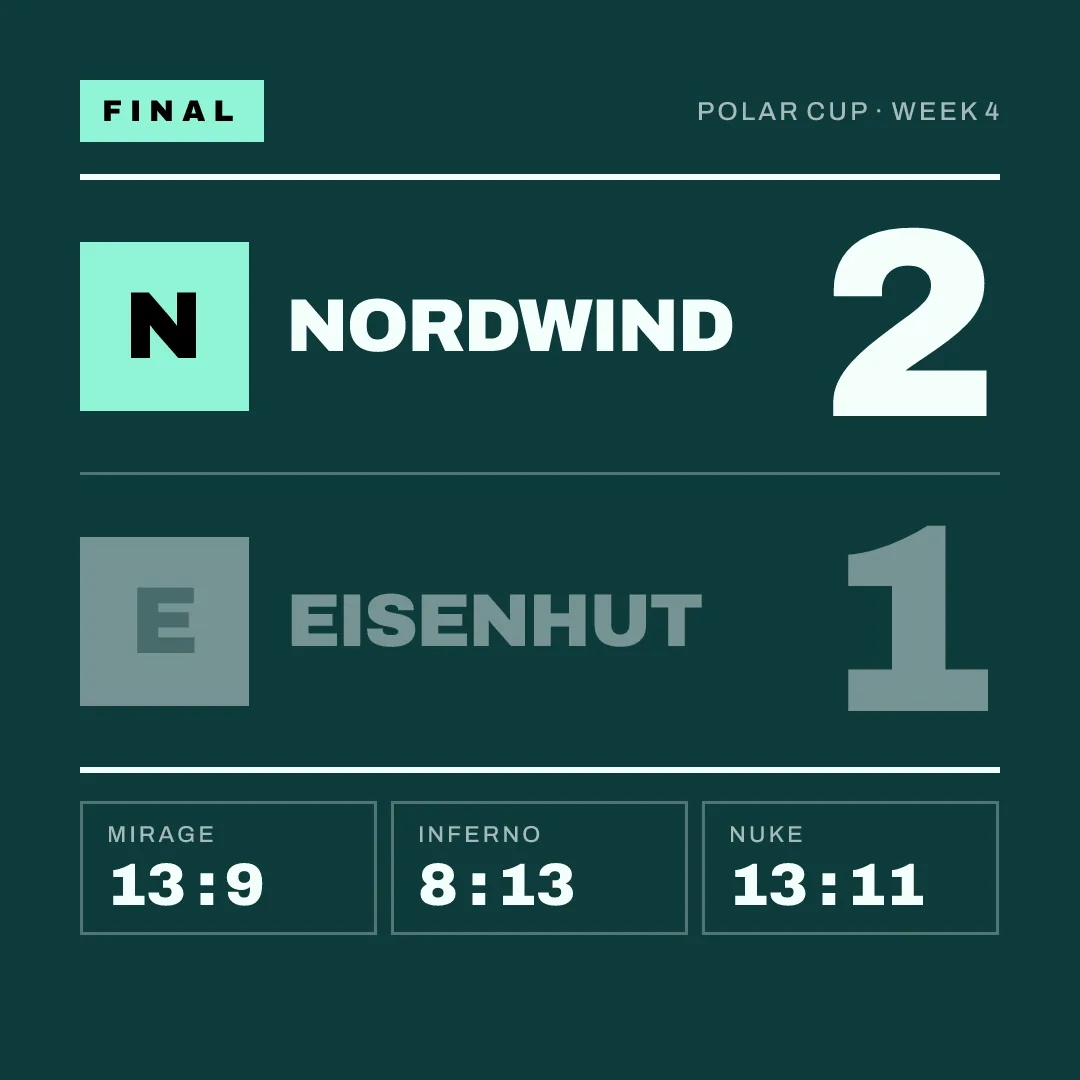
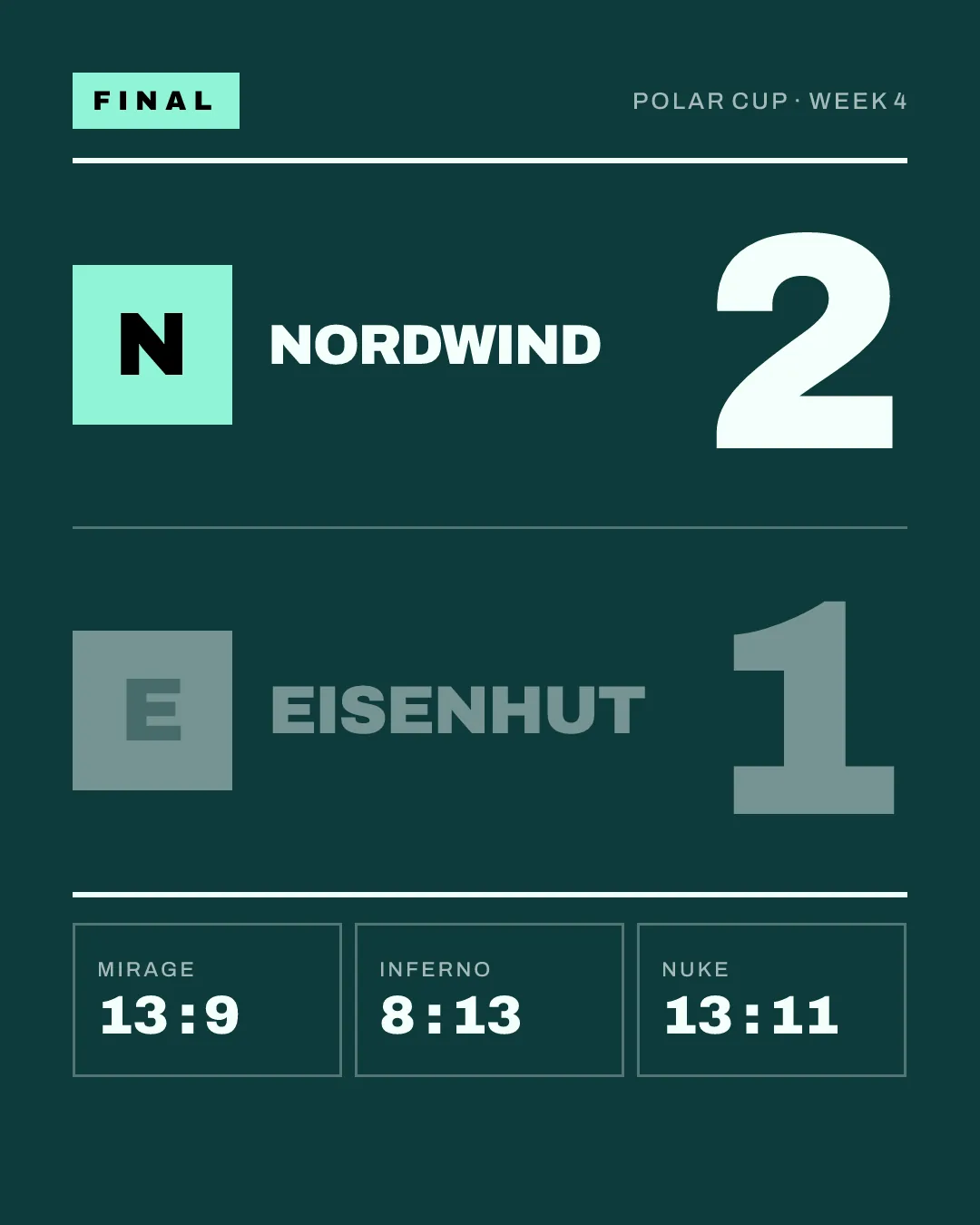
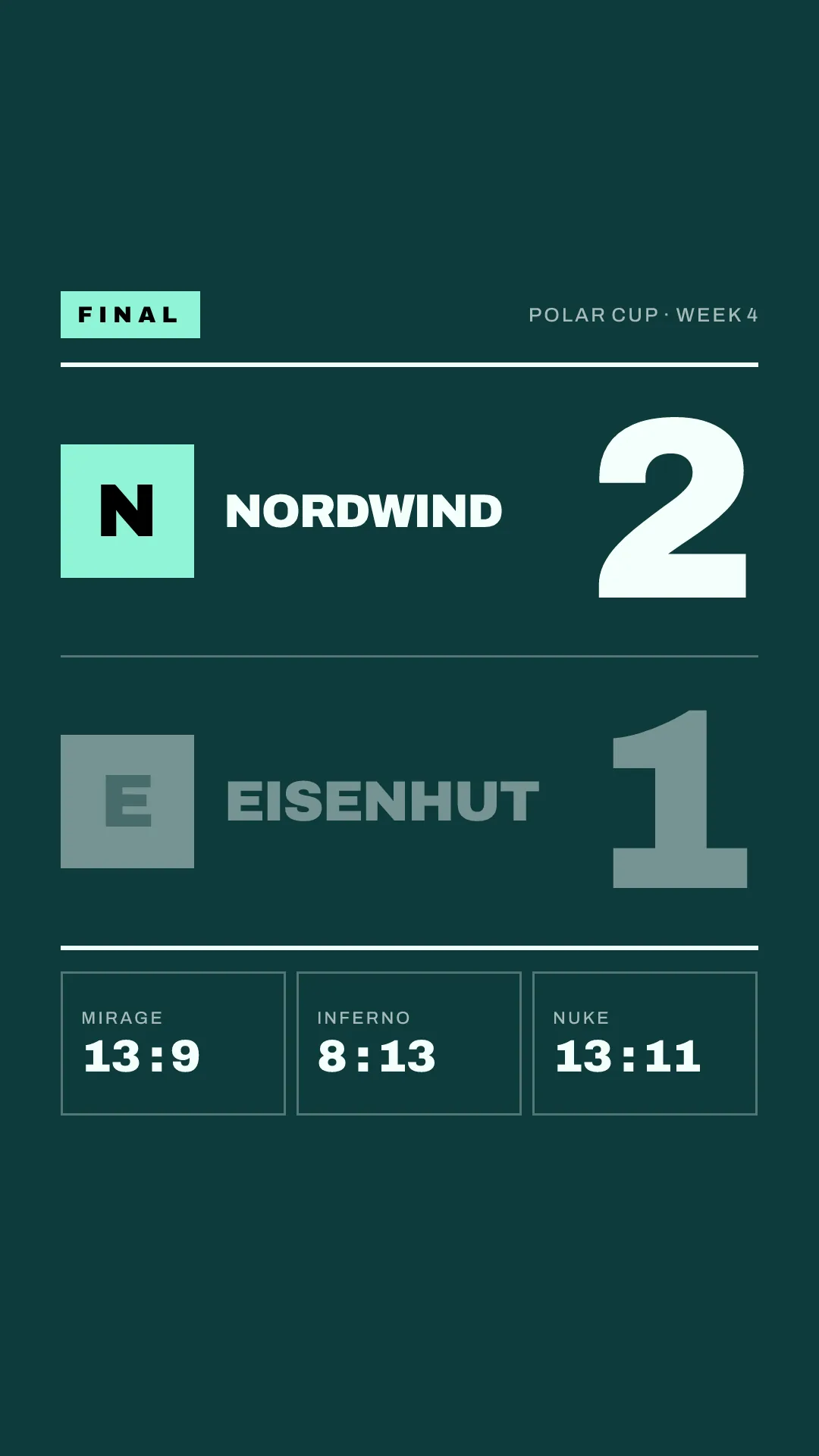
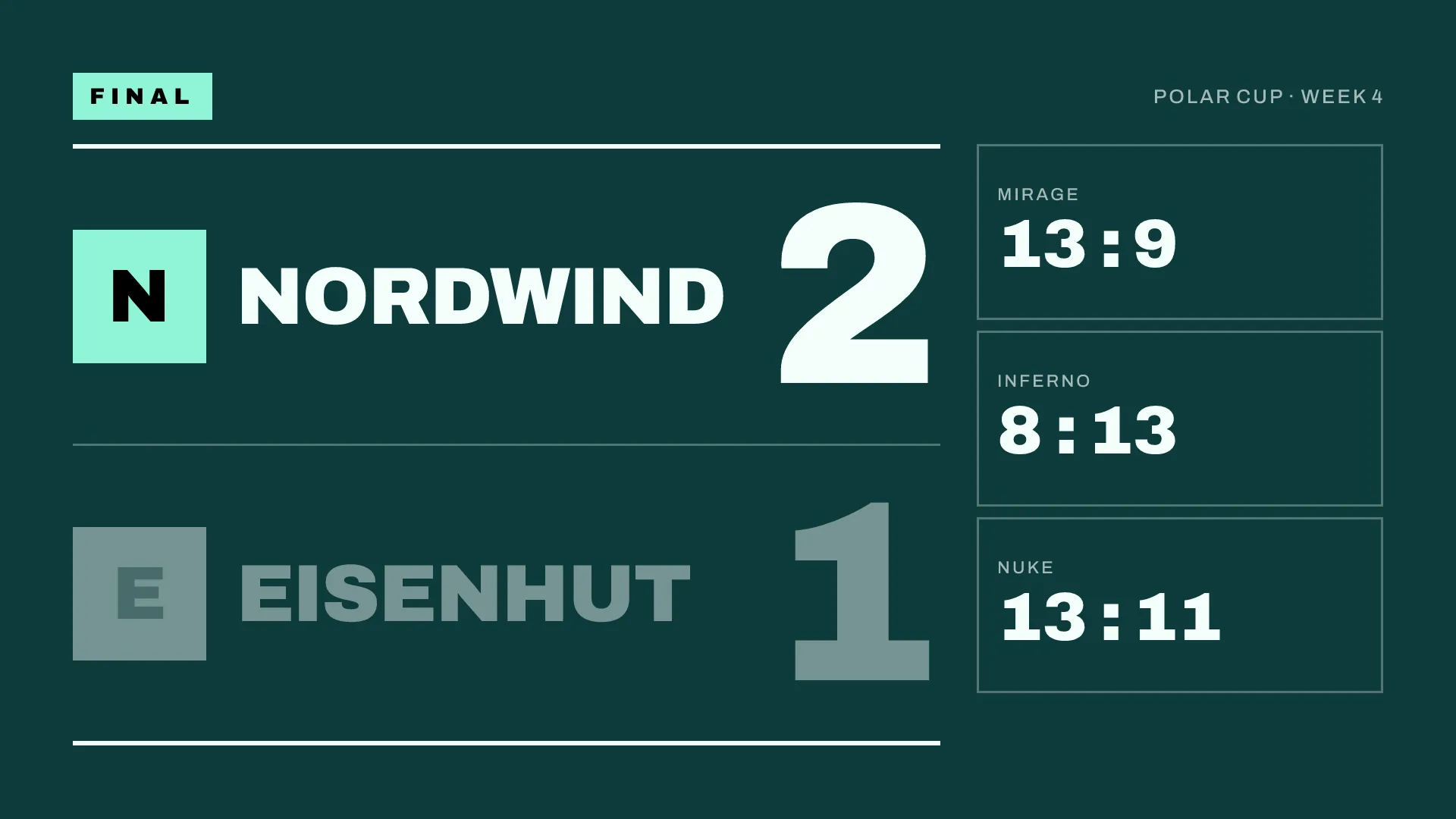
Same match, same score, same colours. What changes is the arrangement of the elements. A graphic that is simply stretched or cut to another ratio looks like it, so each format needs its own layout.
Feed. Instagram's help page says photos are shown at up to 1080 pixels wide and keep their full height if the ratio is between 1.91:1 (landscape) and 3:4 (portrait). At 1080 wide, that is a height between 566 and 1440 pixels. A photo outside that range is cropped to fit.
So square, portrait and landscape all show in full in the feed. Portrait takes up the most screen space of the three, which makes it a good choice for results. The story format is taller than 3:4 and gets cropped if you post it to the feed.
Stories and Reels. Instagram's help page on Reels gives a range from 1.91:1 to 9:16 and a minimum of 720 pixels. 9:16 fills the screen, so the story format is the one to use for both.
X
X's help page says a single photo with a ratio between 2:1 and 3:4 is shown uncropped, and that the preview in the composer matches what appears in the post. Square, portrait and landscape all fall inside that range.
Landscape is a good default on X, because the same graphic also fits a stream and a YouTube post. The story format is outside the range and gets cropped in the timeline.
TikTok
TikTok's help center does not publish image sizes for photo posts, at least not on any page we could find on 15 October 2026. TikTok is a full-screen vertical app, so the story format (9:16) uses the whole screen. In our own test in the app on 15 October 2026, a square image in a photo post was shown with bars above and below; this is what we saw, not a figure from TikTok. Use the story format and check the preview before posting.
Discord
On Discord, the limit that matters most is file size. According to Discord's help page, the upload limit without Nitro is 20 MB (raised from 10 MB in August 2026), and an image larger than that is shared as a download instead of being shown in the chat.
A flat match graphic as a PNG stays far below that limit. Photos straight from a phone camera are what usually hit it.
Square works best in a results channel: it reads well on a phone and on a desktop, and a channel full of square results looks tidy.
The edges of a story
Instagram and TikTok put their own elements on top of a story: the account name and a progress bar at the top, the reply field and buttons at the bottom. Text in those areas is covered or hard to read.
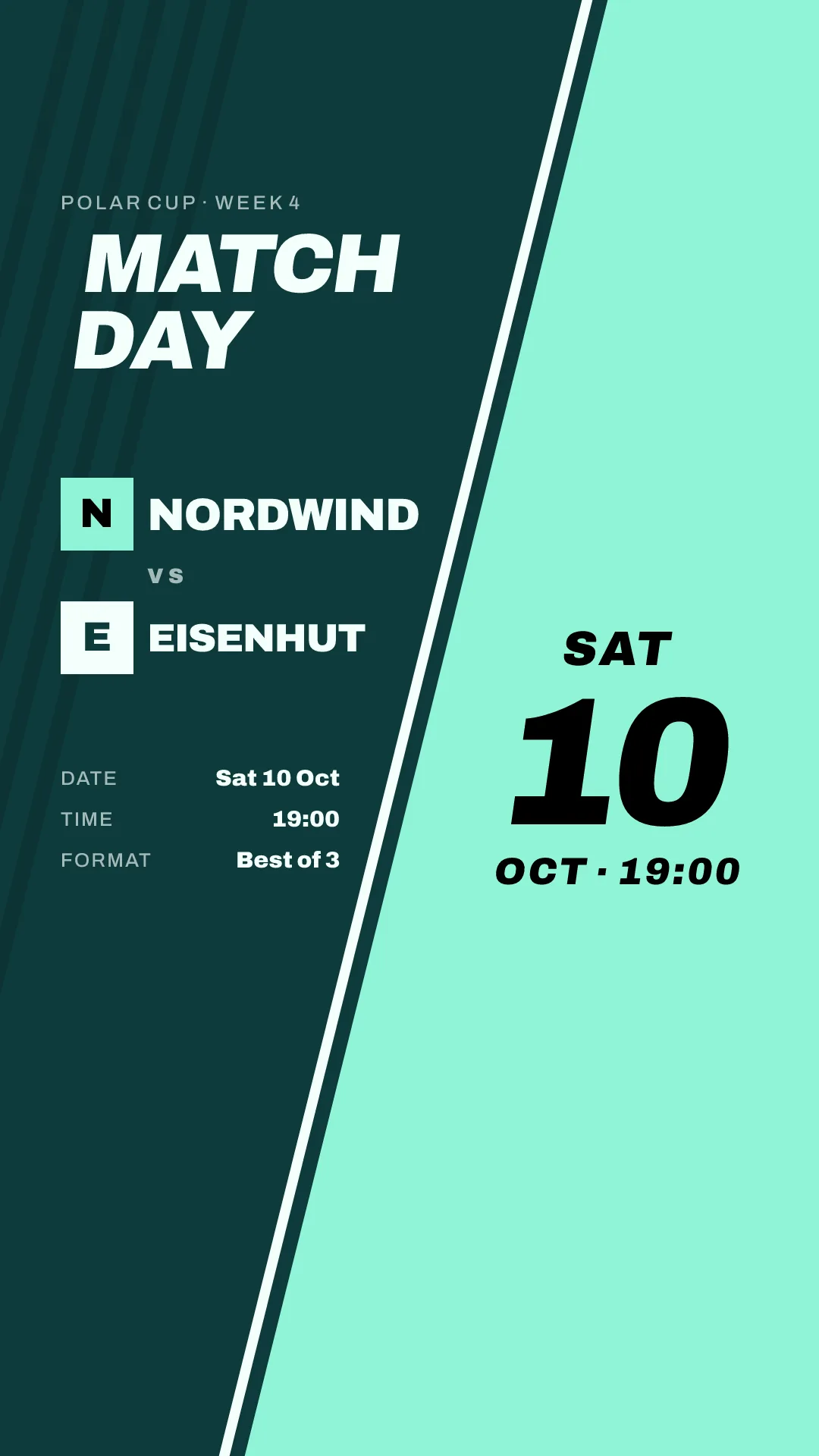
The platforms do not publish exact safe-area measurements for regular stories in their help centres; the figures that circulate come from their advertising guidelines and from third-party guides, and they disagree. The practical rule: keep the score, the team names and the time in the middle of the story, and leave the top and bottom strips for background, logos or nothing. Check the preview on a phone before posting.
YouTube and stream overlays
For YouTube posts and anything shown on stream, landscape (16:9) is the format that matches the video player. YouTube's help pages did not give a fixed size for images in posts when we checked; landscape and square both work in practice.
On a stream, the landscape graphic works as a full-screen "starting soon" or end screen. As an overlay during the match, it covers too much; use it between maps.
Which size to make first
If you only make one, make portrait: it is the size for the Instagram feed, and it also shows uncropped on X. It is the one we post first, too. Add the story next, because stories are where the matchday posts with links go (the matchday guide explains which). Square and landscape cover Discord, X and YouTube.
Making four versions of every graphic by hand takes time, and it is often where teams cut corners. gelvik renders every graphic in all four sizes at once, from the match data you enter once. It launches in early 2027; join the waitlist to hear when it opens.
Sources
Checked on 15 October 2026:
- Instagram Help Center, "Image resolution of photos you share on Instagram": https://help.instagram.com/1631821640426723
- Instagram Help Center, "Reel size and aspect ratios on Instagram": https://help.instagram.com/1038071743007909
- X Help Center, "How to post photos or GIFs on X": https://help.x.com/en/using-x/posting-gifs-and-pictures
- Discord Support, "File Attachments FAQ" (updated 30 September 2026): https://support.discord.com/hc/en-us/articles/25444343291031-File-Attachments-FAQ